.svg)
240+
Salons covered by the launch of the global solution.
Continia It automates OCR for invoices, approvals, expenses, and payments in Microsoft Dynamics 365 Business Central. We help reduce manual bookkeeping, speed up finance operations, and improve control over documents.


Data is transcribed, approvals are sent via email, and documents are searched for in multiple locations, which increases processing costs and delays the closing of the period.
The document gets passed around between mailboxes and departments, which is why the payment obligation is entered into the system late, and the finance department loses track of the payment due date.
Employees submit receipts late or without a description, so the accounting department has to fill in the missing information, which delays the processing.
Payments and statements are manually reconciled with accounting records, allowing the team to later identify discrepancies and open items.
Continia It captures data, applies rules, forwards exceptions to the appropriate people, and records the result in Business Central along with the decision history.
An invoice, receipt, or bank transaction is entered into the process without having to be manually re-entered.

The system reads the data and links it to a supplier, order, account, or employee.
The document is routed to the appropriate person based on the amount, cost center, and rules.
Approved data is posted, paid, reconciled, and archived in the ERP system.
The data is fed into the process at the beginning, which allows the finance department to review exceptions rather than retype every document.

A document, a decision, a payment, and an accounting entry together form a single process and provide an up-to-date view of liabilities.
.avif)
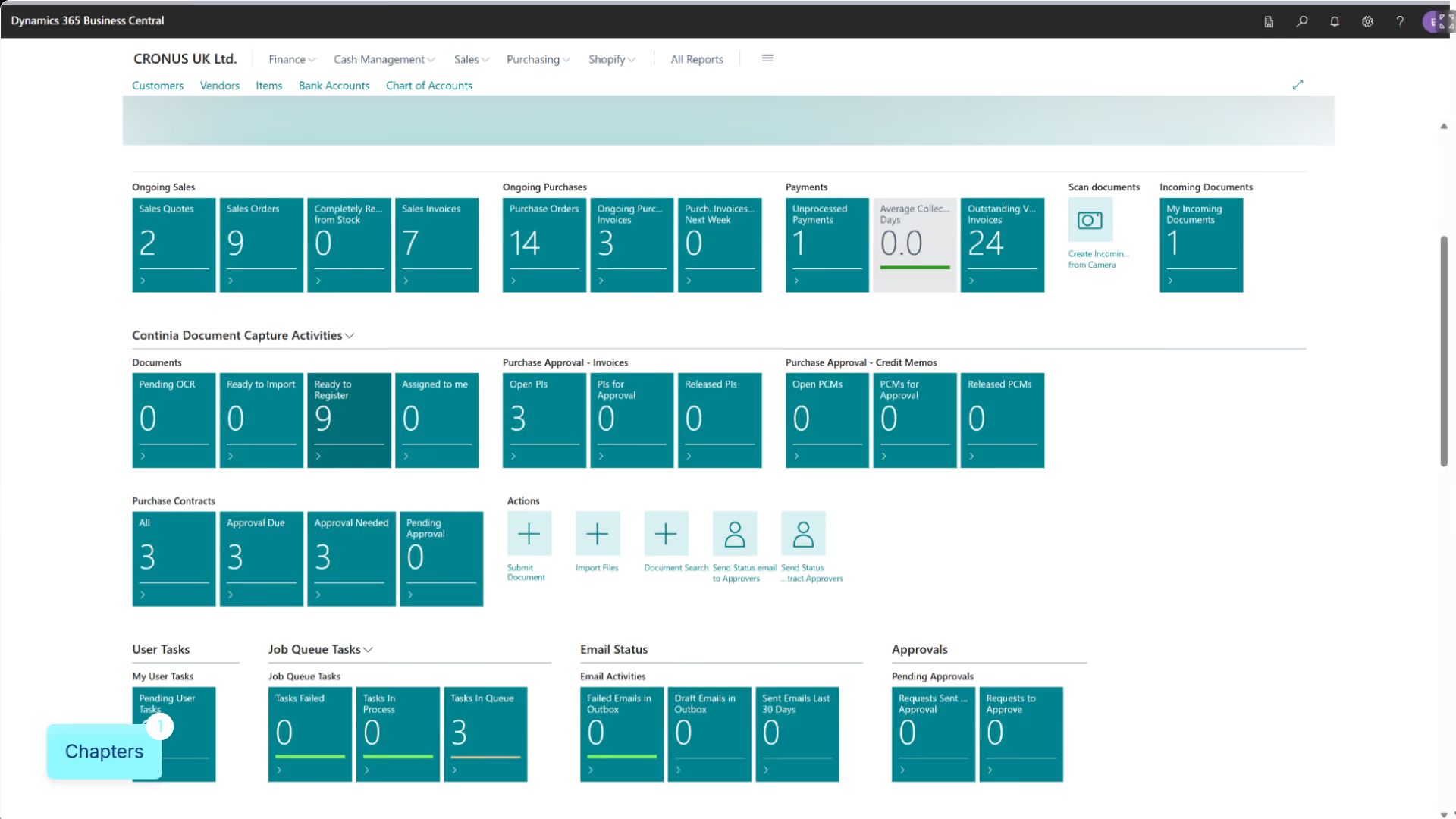
.avif)
Continia It is a family of solutions that automate financial processes directly within Dynamics 365 Business Central—from documents and expenses to payments.
Automation provides the greatest value when the number of documents, approvers, entities, or banking transactions exceeds the capacity of a manual process.
80%
invoices processed automatically
–40%
expense processing costs
95%
automatic adjustment
2–3 hours
saved every day

We measure document volume, processing time, data sources, approval workflows, exceptions, banks, and the Business Central configuration.
We launch selected modules, map data, rules, and approvals, and test the process using actual invoices and transactions.
We are increasing the proportion of automatic matches, limiting exceptions, and expanding the process to include additional companies, banks, and user groups.
End-to-end projects across various industries. The same Microsoft tools, different results—because each of our clients’ businesses is unique.
Salons covered by the launch of the global solution.
Shared data on customers, products, services and price lists.
Shorter turnaround time for service requests.
Common sales and reporting model.
Shorter offer preparation time.
Shared customer data, offers and service requests.
Complete customer view for sales teams.
Shorter offer preparation time.

“
We save 20–30% of the time spent on daily tasks—time that we used to waste searching for information.
”

Tell us what you want to improve. We'll show you how to use this technology to achieve a specific business outcome.