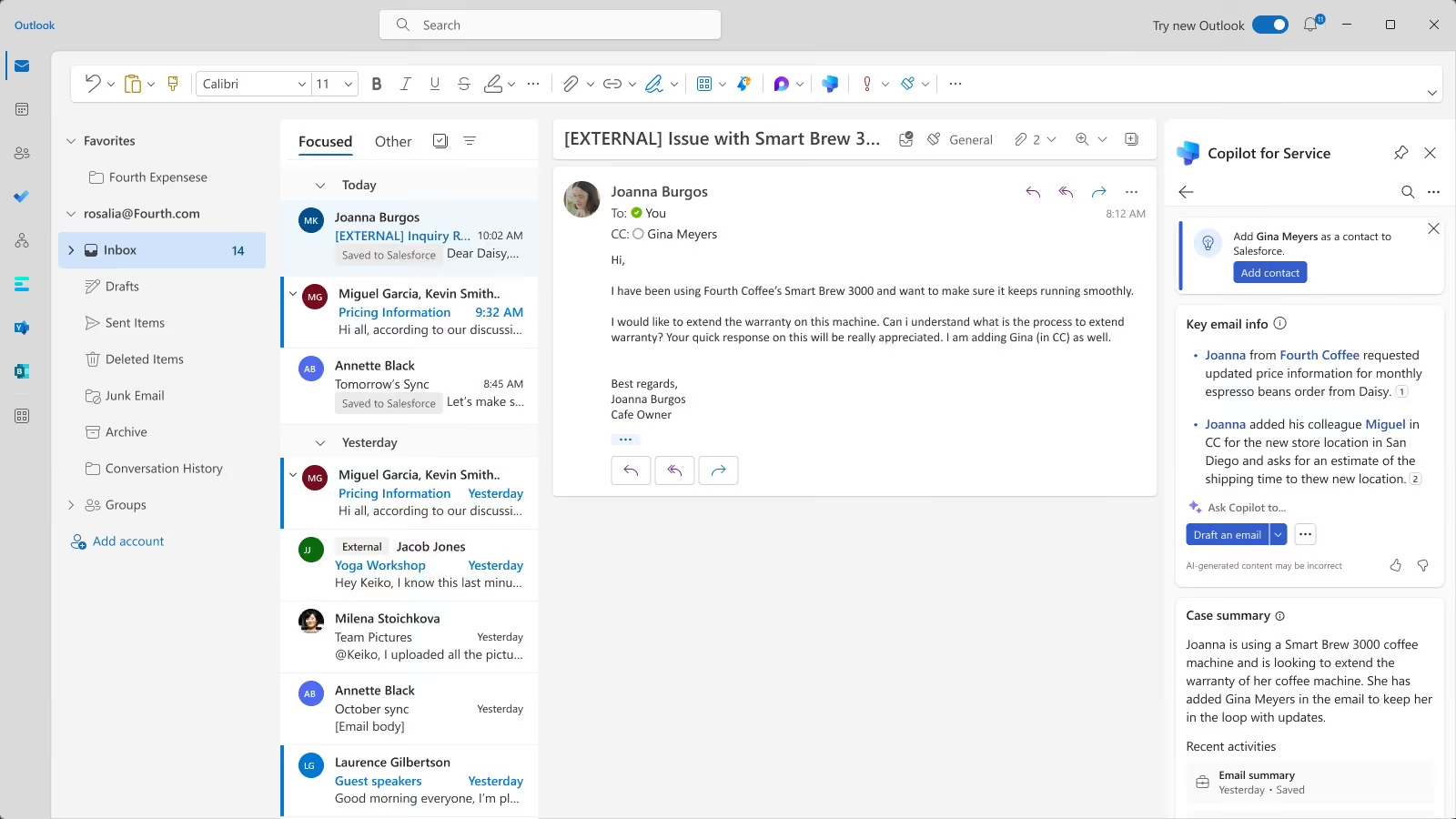
Copilot for Service

Copilot for Service It uses CRM data and company knowledge to support consultants as they handle cases. We help implement AI that finds answers, summarizes the context, and reduces the time it takes to resolve a case.

Service is faster when the case history and the consultant's knowledge lead them to the correct answer.
12–16%
shorter processing time
9–12%
more cases handled
13%
less escalation
The Challenge

Service slows down when customer knowledge and history are scattered

The context is scattered

Every case requires searching through records, messages, and knowledge, which is why the customer has to wait, the consultant wastes time, and the answers become inconsistent.

The background of the case is unclear

Long notes and frequent interactions make it difficult to quickly take over a ticket, so handling time increases and the customer has to repeat the information.

Inconsistent quality of responses

The lack of a single context and up-to-date knowledge leads to inconsistent responses, corrections, escalations, and a decline in customer trust.

Administration after the conversation

Notes, statuses, and tasks are added after the call, so after-call work, the backlog, and the risk of losing track of agreements all increase.

How It Works

From the initial report to a knowledge- and data-driven response

Service Agent combines the active case, interaction history, and knowledge sources. The agent can understand the problem more quickly, prepare a response, take action, and update the record.

01

Combine the sources

We provide access to relevant cases, customer records, interactions, knowledge, and access roles.

02

Set the context

Copilot summarizes the background, priority, open tasks, and available solutions.

03

Verify the answer

The consultant evaluates the reliability of the sources, supplements the content, and is responsible for the decision.

04

Record the operation

A note, status, priority, or sub-issue is updated as part of a controlled process.

THE LOOP CLOSES WITH DATA
Pillars

Copilot for Service's Two Pillars: Faster Decision-Making and Quality Control

Full context at the time of contact

The consultant receives the case history and relevant information without having to manually search through multiple sources.

Summary of the Case
The most important events, findings, and pending actions are summarized below.
Interaction History
The context from previous interactions helps avoid repeating information.
Knowledge Tailored to the Problem
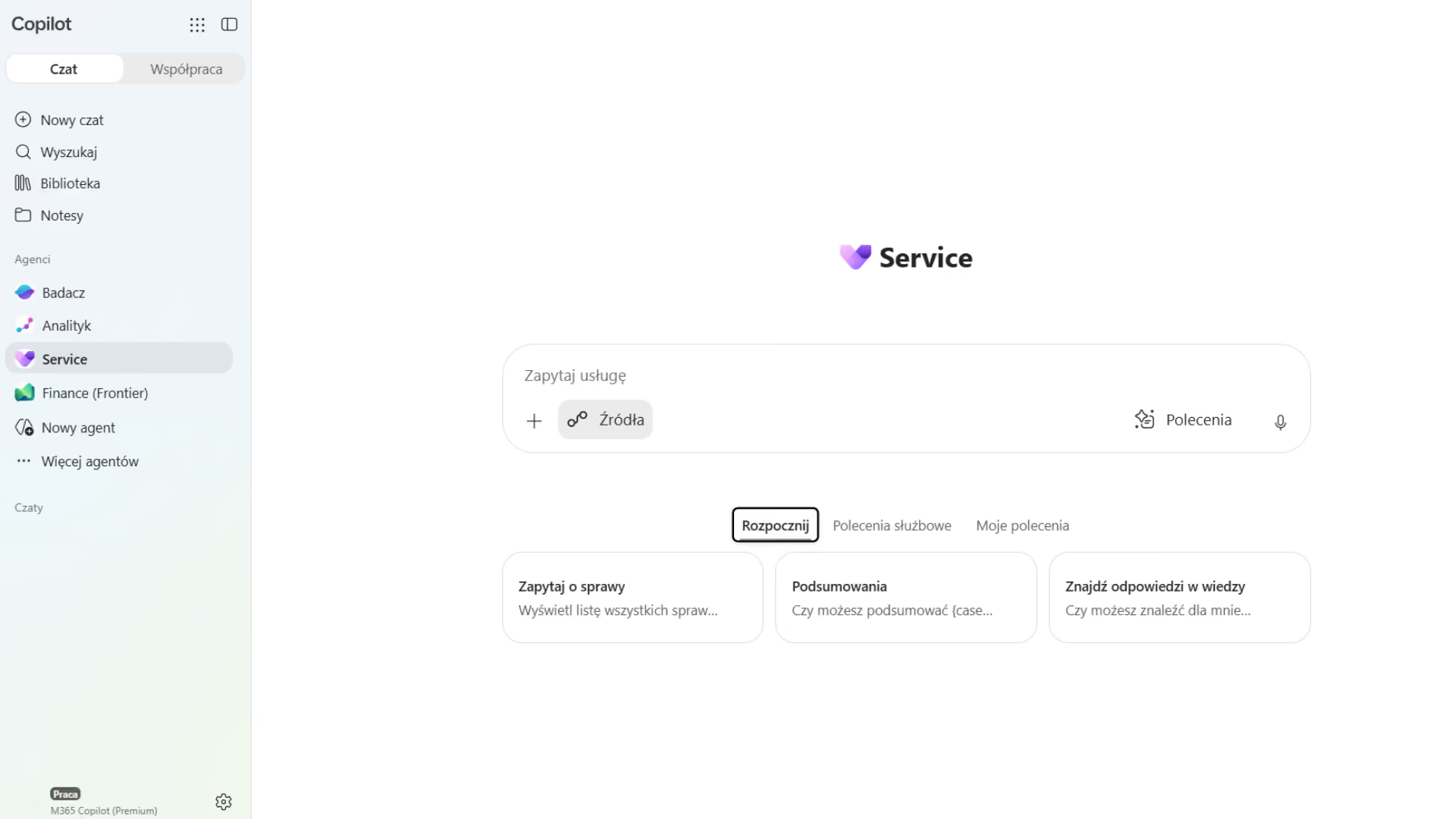
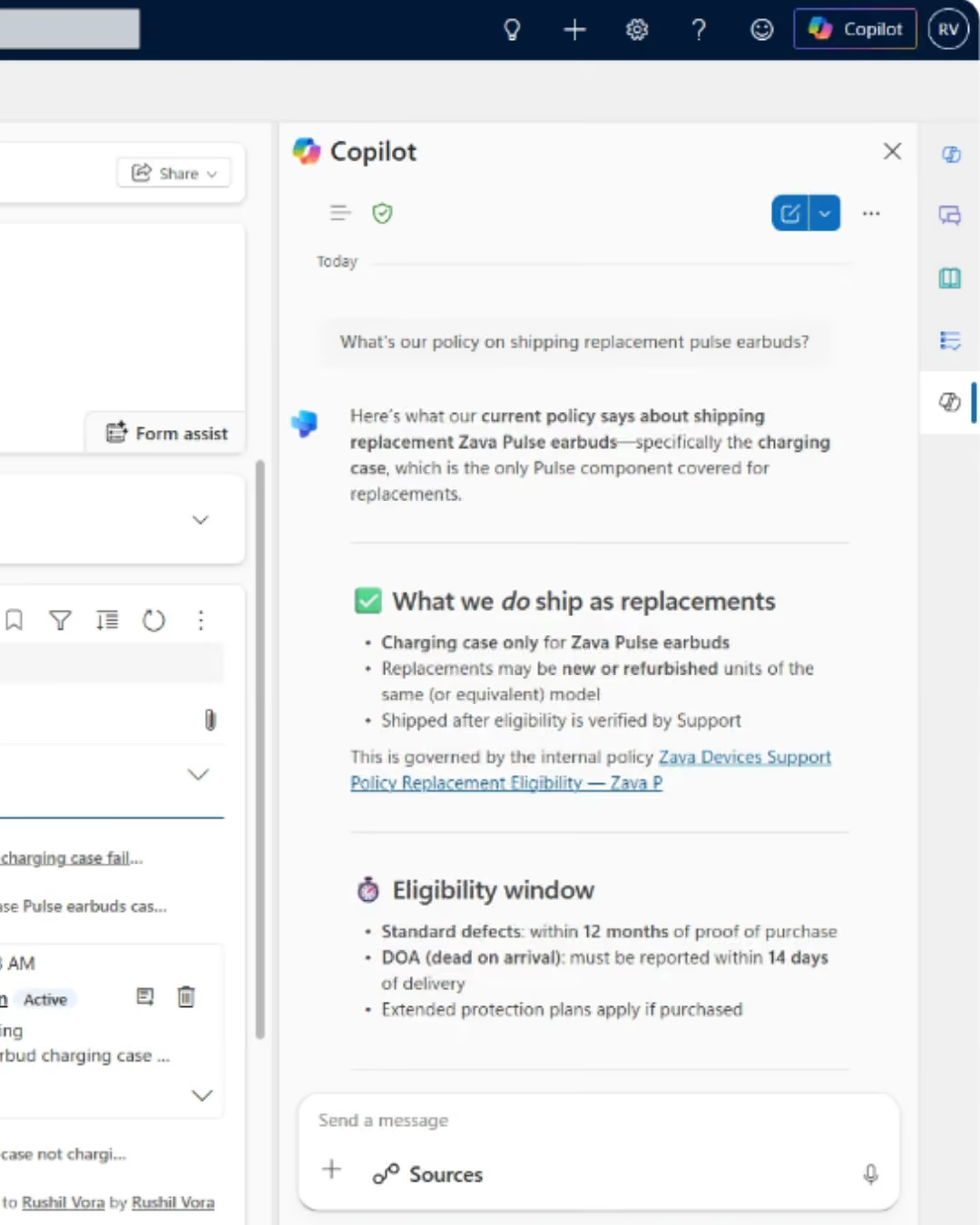
The Service Agent searches for answers in Dynamics 365 and SharePoint.
Priority and Next Step
The consultant identifies risks, SLAs, and required actions more quickly.

AI Managed as Part of the Process

Sources, roles, monitoring, and human accountability limit the risk of inconsistent responses.
Sources Under Control
The answers are based on the verified knowledge available to the user.
Data Permissions
The scope of cases and records is determined by roles in Microsoft 365 and Dynamics 365.
A person approves the response
The consultant reviews the content for accuracy before presenting it to the client.
Measuring Value and Quality
We link AI adoption to AHT, FCR, SLA, quality, and customer satisfaction.
Photos

See how it works

What Is the " Copilot for Service " and the Current Service Agent?

Copilot for Service This is the solution's former name. The current Service Agent uses data from Dynamics 365 Customer Service and knowledge sources at Microsoft 365 Copilot.

Review and Prioritization of Cases
It highlights issues that require attention, pending tasks, and important client context.
Summary of Cases and Interactions
It condenses a long history into a summary of the problem, actions taken, findings, and outstanding tasks.
Answers from the knowledge base
It searches for information in Dynamics 365 and SharePoint, reducing the need for manual review of materials.
Monitored actions in the case
It allows you to add a note, change the priority or status, and create a sub-task.

Take a look inside

How Copilot for Service shortens the process from reporting an issue to resolving it

It creates the most value in situations where matters have a long history, require specialized knowledge, are handled by multiple teams, or are subject to SLAs.
Customer Service and Contact Center
It speeds up case analysis, knowledge searches, response preparation, record updates, and ticket handling.
Sales and Marketing
It provides context regarding complaints, obligations, and previous interactions so that communication does not overlook the customer's current issues.
Finance, Operations, and Production
It helps staff interpret the status of settlements, orders, deliveries, service, or quality when the data is available in source systems.
What We Optimize

What results have organizations that use AI in customer service achieved?

20%

Planned reduction in response time

≤15 min

The process used to take 30–40 minutes

-50%

Duration of WhatsApp conversations

+20%

HR case processing capacity

FOR WHOM

When Is There a Business Case for Implementing Copilot for Service ?

  • The team handles many cases with a long history, and consultants waste time searching through the CRM, messages, documents, and the knowledge base.
  • Tasks are often passed between teams, so the client has to repeat the information, and the new person in charge needs time to get up to speed.
  • The organization uses Dynamics 365 Customer Service , and Microsoft 365, but wants to improve its AHT, FCR, response quality, and knowledge utilization.
How We Implement

Copilot for Service Implementation: From Knowledge to Measurable Results

Audit of Cases and Knowledge

We map case types, channels, volume, SLAs, the knowledge base, roles, data quality, risks, and baseline KPIs.

Setup and Pilot Program

We integrate Dynamics 365 Customer Service, SharePoint, and Microsoft 365. We test responses, sources, roles, and actions on representative cases.

Adoption and Optimization

We measure usage, AHT, FCR, SLA, and quality. We expand our knowledge, develop scenarios, and improve our operating procedures.

Numbers, not slides

What Works for Customers Who Have Placed Their Trust in Us

End-to-end projects across various industries. The same Microsoft tools, different results—because each of our clients’ businesses is unique.

They've placed their trust in us

Our employees can now check data in public records directly in Dynamics 365 Sales. This allows us to save nearly 40% of the time we previously spent verifying information.

Krzysztof Sanecki
Vice President of the Board of Directors
·
STERNET
Let's talk about technology

Turn technology into results

Tell us what you want to improve. We'll show you how to use this technology to achieve a specific business outcome.