Sales

Dynamics 365 Sales is a CRM system that organizes leads, opportunities, activities, and sales forecasts. We help you implement a standardized process, automate sales representatives’ work, and gain greater control over your sales pipeline and revenue.


Sales organizes data and processes to make sales run faster at scale.
15%
greater sales effectiveness
90 min
weekly savings
67%
more time for customers
The Challenge

A pipeline isn't reliable when every salesperson works differently

Leads get lost among the tools

Leads are sent to email, Excel, and separate databases, so the response depends on the team's memory, and some of the demand doesn't make it into the pipeline.

"Pipeline" has no definition

Stages mean different things to different people, which is why opportunity scores are not comparable, and coaching focuses on statuses rather than decisions.

The forecast is based on an opinion

Closing dates and probabilities are updated before the meeting, so Finance and Operations plan based on unreliable data.

CRM increases administrative workload

If the system duplicates emails and reports, salespeople update it belatedly, the data becomes outdated, and the forecast becomes even less useful.

How It Works

From the initial lead to the forecast in a single sales process

Each stage has an entry criterion, an owner, required data, and a next action. As a result, the pipeline guides the team’s work and informs management decisions.

01

Lead Registration

A lead receives the source, owner, response time, and a minimum set of data.

02

Qualification

The team assesses the need, suitability, stakeholders, timeline, and potential.

03

Developing an Opportunity

Subsequent activities, proposals, and risks are addressed according to common stages.

04

Forecast and Results

Current opportunities form the basis for the forecast, and the result is fed back into the conversion analysis.

THE LOOP CLOSES WITH DATA
Pillars

The Two Pillars of Effective CRM: Process Discipline and Decision Quality

A Consistent B2B Sales Process

CRM streamlines the workflow from lead generation to closing a deal.

One definition of the stages
Each stage has common entry and exit criteria, as well as shared responsibilities.
Minimum Data Requirements
The team collects only the information needed to make the next decision.
Eligibility Rules
Leads and opportunities are evaluated based on transparent criteria, not intuition.
Forwarded for processing
A successful bid triggers the entire ordering or project process.

Decisions Based on the Current Pipeline

Sales data is used for prioritization, coaching, and revenue forecasting.
Priority of Opportunities
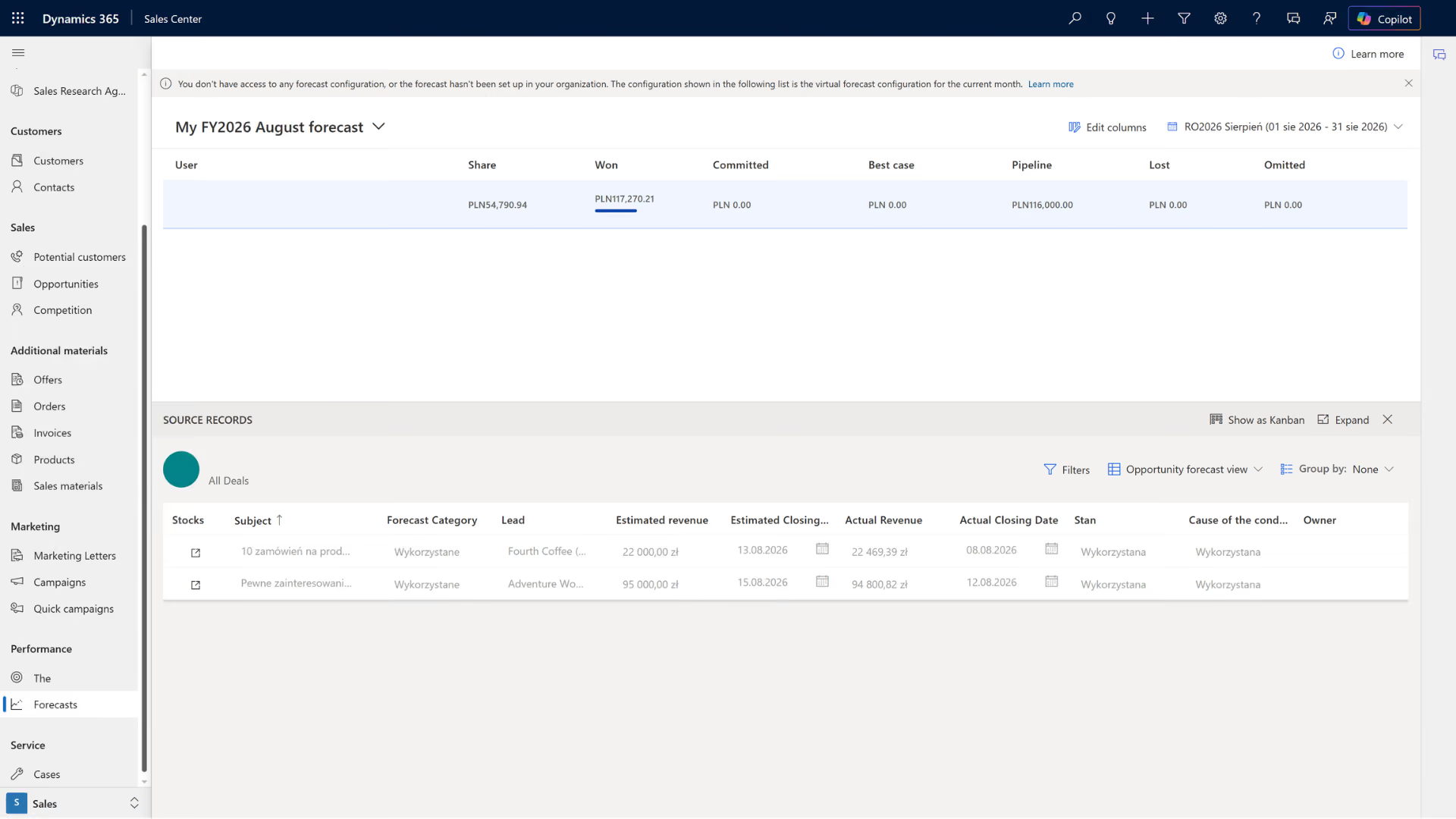
Salespeople focus their time on relationships with real potential.
Early warning signs
Lack of activity, the stage's age, and a change in the deadline indicate risks.
Forecast Based on Evidence
The forecast combines the team's statement, history, and the status of the pipeline.
Learning loop
The results show which sources, activities, and segments drive sales.
Photos

See how it works

Sales - CRM turns sales representatives' activities into a manageable process

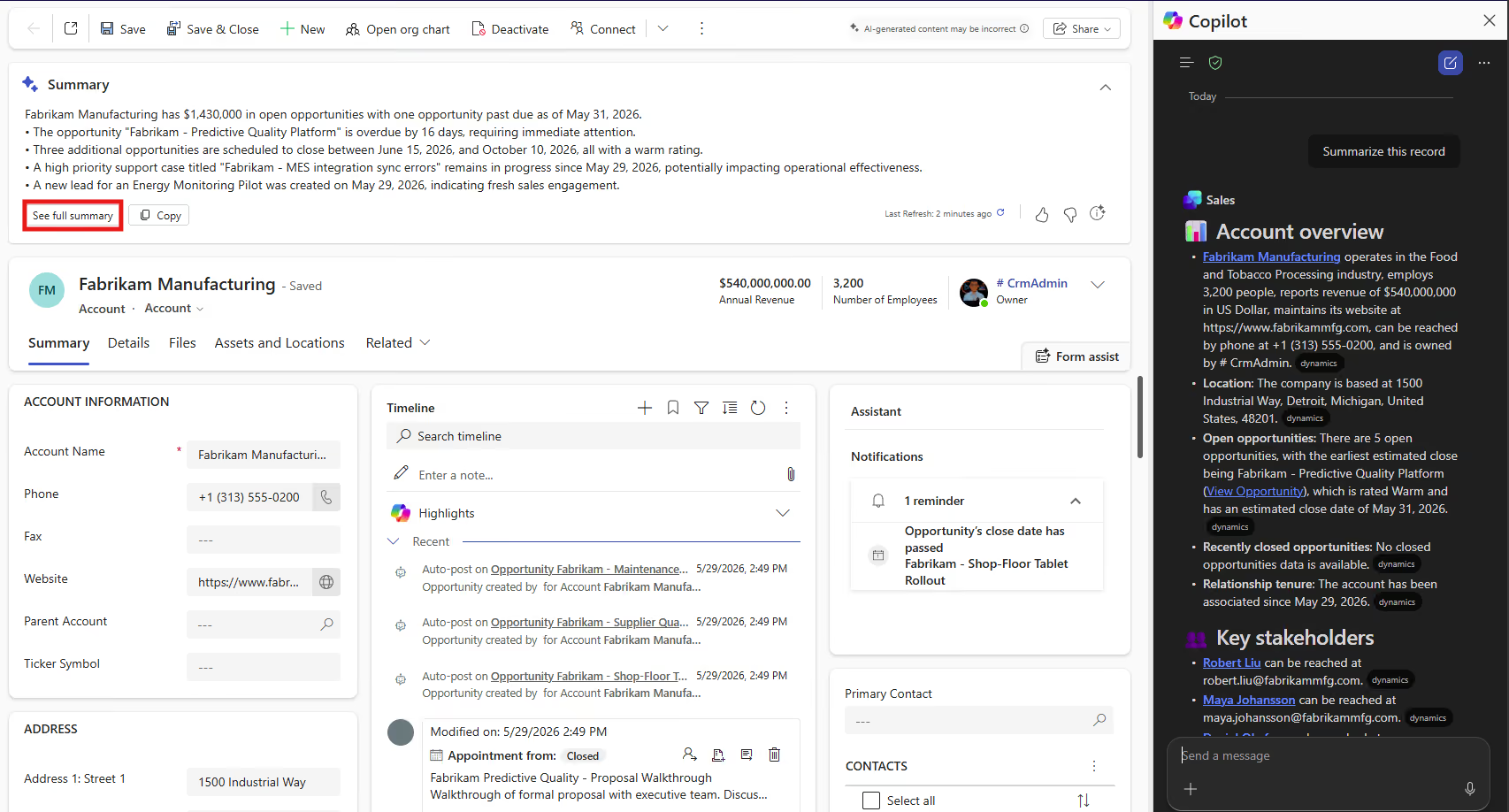
Dynamics 365 Sales combines data on accounts, contacts, leads, opportunities, and activities so that the sales team can operate according to common guidelines and measure results.
Lead-to-Order Process
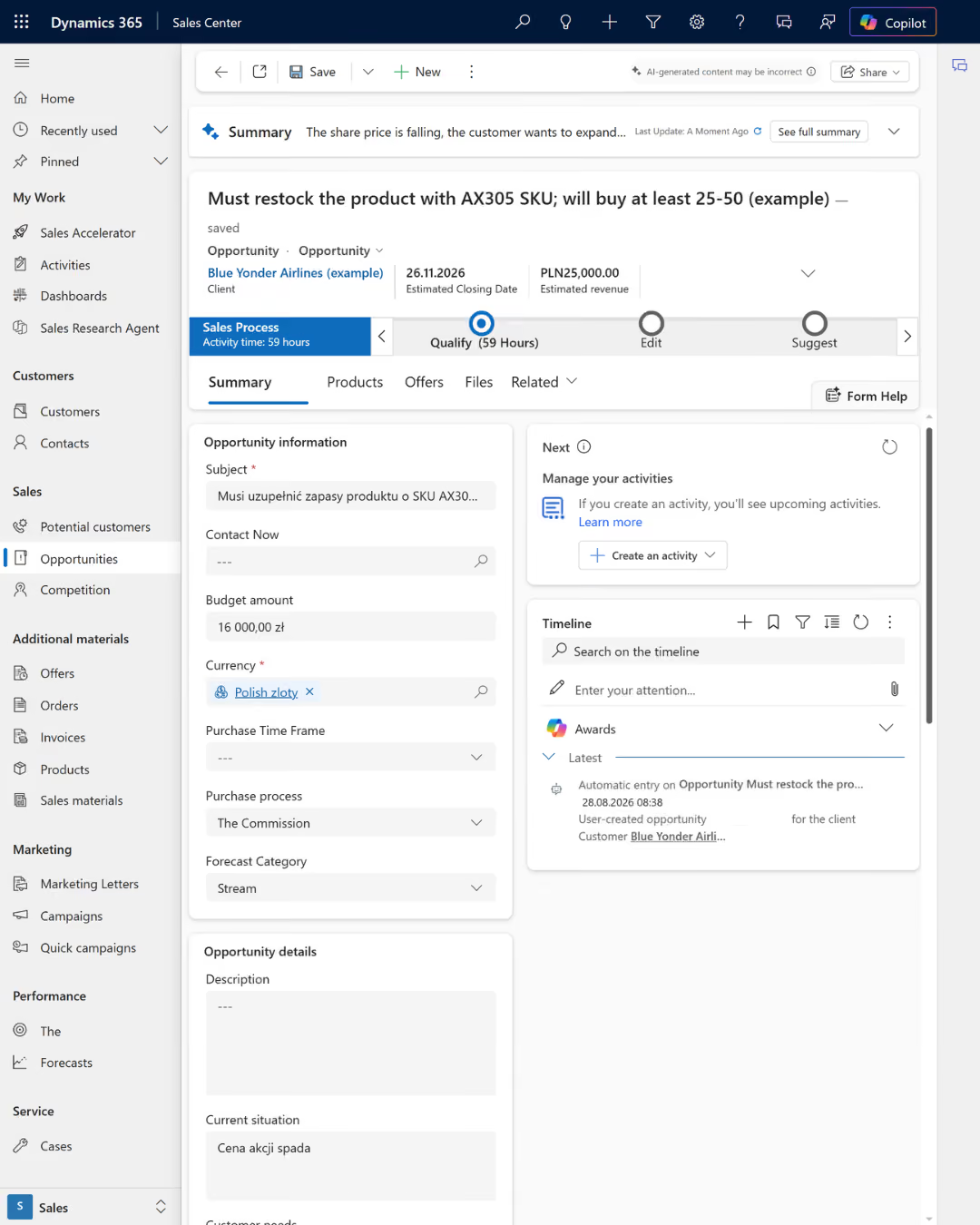
He leads the team from the initial registration of a request through to securing the opportunity and handing it over for full implementation.
Pipeline and Forecast
It combines value, stage, timeline, and risk factors to ensure that the forecast is based on current data.
Work Priorities
It organizes next steps and highlights records that require action before the opportunity is lost.
Context of the relationship
It provides access to the contact history, stakeholders, and activities needed to prepare for the next conversation.

Take a look inside

Where a unified CRM process creates value across the entire organization

Sales and Marketing
It integrates lead sources, qualification, opportunities, and actions so that marketing can generate the right demand and B2B sales can respond at the right time.
Customer Service and Finance
It provides a history of the relationship, terms and conditions, and a forecast, supporting customer retention, risk assessment, revenue planning, and credit decisions.
Operations and Production
It provides data on winning opportunities, products, and deadlines so that the fulfillment, purchasing, and production teams can prepare resources without having to manually re-enter information.
What We Optimize

What results have organizations using Dynamics 365 Sales achieved?

-50%

shorter operation and process times

-20–30%

less time spent looking for information

+59 percentage points

increase in lead conversion

-84,7%

fewer expired leads

FOR WHOM

For companies where sales opportunities are growing faster than confidence in the forecast

  • Leads, contacts, and opportunities are scattered across email, spreadsheets, and local databases, and the company lacks a complete view of the pipeline and accountability.
  • The forecast is prepared manually, the stages have different definitions, and management does not learn about the risks until the end of the month or quarter.
  • Sales are growing, but the process, data, and integration with ERP, fulfillment, or customer service systems are not scaling in line with the number of salespeople, markets, and products.

How We Implement

CRM implementation starts with sales decisions, not with fields

Process and Data Audit

We map out the sales model, stages, decisions, roles, sources, KPIs, and integrations. We establish a baseline, the scope of the pilot, and the owners.

CRM Implementation

We configure leads, opportunities, activities, forecasts, automations, and reports. We migrate data, test roles, and train the team.

Optimization and Scale

We measure adoption, data quality, conversion, the cycle, and forecasts. We eliminate friction and expand into new teams, regions, and AI scenarios.

Numbers, not slides

What Works for Customers Who Have Placed Their Trust in Us

End-to-end projects across various industries. The same Microsoft tools, different results—because each of our clients’ businesses is unique.

They've placed their trust in us

We save 20–30% of the time we spend on daily tasks—time that we used to waste searching for information.

Sławomir Wachowski
Director of the Automation Department
·
SECO/WARWICK Group
Let's talk about technology

Turn technology into results

Tell us what you want to improve. We'll show you how to use this technology to achieve a specific business outcome.